
Key Takeaways
- Google enforces no character limit on title tags; the 60-character rule is an SEO convention approximating the ~600-pixel desktop title slot, not an official standard 1, 10, 14.
- Truncation is governed by pixel width, not character count, which is why a 58-character title with wide capitals can clip while a 65-character lowercase title fits 9, 11.
- A defensible portfolio policy targets under 580 pixels with a 600-pixel hard cap, uses characters as a secondary guardrail, and front-loads the query-matching phrase in the first 50 pixels 8, 13.
- Intent, mobile wrap behavior, and WCAG 2.4.2 shift the calculus: mobile-heavy or informational templates can justify ~70 characters when a named modifier earns the extra pixels 2, 7, 13.
The 60-character rule is a proxy, not a standard
Ask ten SEO leads for a title length policy and nine will cite 60 characters. Ask them where that number comes from and the answers get vague. It is not in the HTML Living Standard, which defines the <title> element and sets no maximum length at all 14. It is not in Google's official title link documentation, which states plainly that there is no limit on how long a <title> element can be — titles are simply truncated to fit device width when they appear in results 1. Gary Illyes has confirmed the same point on the record: Google enforces no character cap, only asking that titles be concise and accurately describe the page 10.
So where did 60 come from? It is a rough character-count stand-in for what actually governs display: pixel width. Desktop SERPs render roughly 600 pixels of title text, and about 50–60 average English characters happen to fit that budget 9, 11. The number is a proxy, and a lossy one.
For an agency running title QA across dozens of clients, that distinction is not academic. A policy built on a myth is difficult to defend when a client asks why a 62-character title was flagged, or why a 58-character title with wide letters is still truncating in the SERP. The rest of this piece unpacks what the evidence actually supports — pixel-first thresholds, query-intent nuance, mobile behavior, and the accessibility overlay — and translates it into a policy that survives portfolio-scale enforcement.
What Google actually says about title length
The primary source contradicts the folk wisdom. Google's Search Central documentation states directly that there is no limit on how long a <title> element can be, and that the title link is truncated in search results as needed, typically to fit the device width 1. That is the official position, not a leaked comment or a forum post. It has been in the public documentation and remains the current guidance.
Gary Illyes reinforced the same point in on-record commentary: Google does not enforce a specific character count, and any numeric cap circulating in SEO guidance is an externally created best practice rather than a Google requirement. The company only asks that titles be concise and accurately describe the page 10. Two things follow from that. First, a title of 45 characters and a title of 90 characters are treated identically by the ranking system as far as length is concerned. Second, the only length-related consequence is visual — whether the full string appears in the SERP or gets cut off with an ellipsis.
The HTML specification agrees. The Living Standard defines what the <title> element must represent and how user agents should process it, but it sets no maximum length 14. Any cap that exists lives inside a user agent — a browser tab, a screen reader, or a search engine's rendering logic — not inside the language itself.
For an agency codifying policy across client sites, this matters because it separates two distinct problems that get conflated in most style guides. One is a ranking or crawling concern, which does not exist for length. The other is a display concern, which does exist and is governed by pixel width in the SERP. A title QA rule that flags 65-character strings as "too long for Google" is technically wrong. A rule that flags them as "at risk of truncation on desktop SERPs" is defensible and matches the source documentation. The distinction changes how the rule gets written, how it gets explained to a junior strategist or client, and how the QA tooling reports violations.
Pixel width is the real truncation boundary
Truncation is a rendering problem, not a text-length problem. Google reserves roughly 600 pixels of horizontal space for the title link on desktop SERPs, and whatever fits inside that box gets shown 9, 12. Character count is a downstream approximation of pixel width, which is why the same 60-character title can display fully in one result and clip mid-word in another.
The mechanism is straightforward: characters are not the same width. A capital W consumes far more horizontal space than a lowercase i or l. A title of 58 characters loaded with uppercase letters and wide glyphs can exceed 600 pixels and truncate, while a 65-character title built from narrow lowercase letters can fit comfortably 11. That asymmetry is why practitioners running large-scale title audits increasingly measure the actual rendered width rather than counting characters, and why the current SEO literature has moved toward targeting under 580 pixels as the safe zone for universal desktop display 13.
Two 60-character strings, side by side, illustrate the issue. "WHOLESALE MATTRESSES MEMPHIS — WAREHOUSE CLEARANCE WEEKENDS" runs wider than "illinois trial lawyers list filing timelines this fall" at identical character counts, because the first is stacked with wide capitals and the second with narrow lowercase letters. In a 600-pixel budget, the first truncates; the second does not 11, 9.
For agency SEO leads writing QA rules, three implications follow:
- Any linter that flags length by character count alone will produce false positives on narrow-letter titles and false negatives on wide-letter titles that actually truncate.
- Pixel-width measurement can be automated with any SERP preview tool that reports pixel values, making the check as cheap as a character count once it is wired in 12.
- The target should be expressed as a pixel budget with a character range as a secondary sanity check, not the other way around.
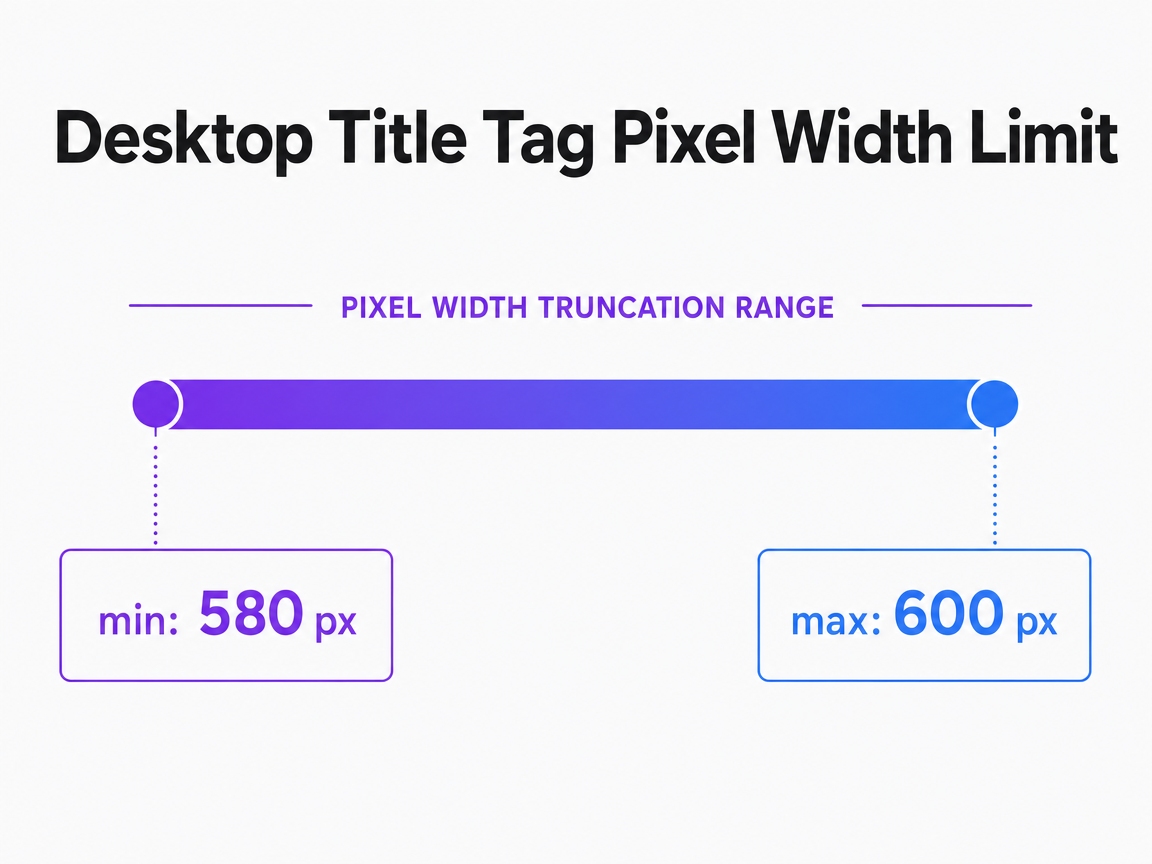 Desktop Title Tag Pixel Width Limit
Technical analysis suggests Google truncates desktop titles that exceed a pixel width of approximately 580-600px, which corresponds to about 50-60 characters.
A pixel-first policy agencies can actually enforce
A defensible title policy at portfolio scale needs two properties: it has to match how truncation actually works, and it has to be cheap enough to enforce across hundreds of pages without human eyeballing every string. Character counts fail the first test. A pixel budget with character guardrails passes both. The rule below is what an agency SEO lead can codify in a style guide, wire into a linter, and hand to a junior strategist or a client without having to litigate the 60-character myth every time.
The core rule: target under 580px, cap at ~600px
Write titles to render under 580 pixels, and treat 600 pixels as the hard cap 13, 9. The 580 target gives a safety buffer for wide-letter strings, brand suffixes, and Google's occasional rewrites; the 600 ceiling matches the desktop title slot documented across current SERP measurement tools 12. Every title in the CMS should carry a pixel value alongside its character count, produced by any preview tool that reports both. QA flags fire on pixel width, not on characters. That single change eliminates the class of tickets where a 58-character title still truncates and a 65-character one does not 11.
Character guardrails for CMS fields and QA checklists
Pixels drive the flag; characters drive the field constraint. CMS title inputs should soft-warn at 60 characters and hard-limit at 70, with a preview widget rendering the actual pixel value. That range absorbs the spread between the strictest and loosest authoritative recommendations:
- The U.S. federal standard puts the target at 50–60 characters 4.
- The WCAG-informed accessibility interpretation extends it to 50–75 3.
- The New Zealand government treats ~65 characters as the truncation threshold 5.
- The pixel-first analysis lands at ~580–600 pixels which maps to roughly 50–60 average English characters 9.
- Institutional CMSs like the University of Bath's Typecase permit up to 100 characters for descriptive completeness 6.
None of these are Google mandates. They are guardrails from bodies that had to write down a number for their own operators, and the spread itself is the argument for a pixel-first flag with a character range as a sanity check.
Test Meta Title Lengths With Live Content
Validate optimal meta title lengths on real, published pages before scaling changes across client sites.
Front-loading keywords: what user research actually shows
The strongest empirical case for tight, keyword-forward titles does not come from SEO blogs. It comes from a snippet evaluation study run out of Emory and Microsoft, which found that the title carries substantially more weight than the snippet body when users decide which result to click, and that participants routinely skipped relevant results whose titles lacked highlighted query terms in favor of lower-ranked results with stronger titles 8. The behavior measured was scanning and selection on desktop search result pages, not click-through in the wild, but the signal is consistent: a title that buries the matched keyword loses to a title that surfaces it, even when the underlying page is a better answer.
Microsoft Research's eye-tracking work reached a compatible conclusion from a different angle. Users spend the majority of their gaze time on titles when triaging results, and length manipulations affect task performance rather than being cosmetic 7. Combined with the pixel-truncation reality, that produces a specific writing rule: the primary keyword and the intent-carrying phrase belong in the first 50 pixels of the title, not after a brand name or a modifier stack. If the string clips at 600 pixels, whatever appears before the cut has to stand alone as a match to the query.
For agency title conventions, three edits fall out of this:
- Move the query-matching phrase to the front.
- Push brand suffixes and location qualifiers to the tail, where truncation costs less.
- Kill decorative openers — "The Complete Guide To," "Everything You Need To Know About" — that consume pixel budget without helping the user find the match.
Query intent changes the calculus
Title length is not intent-neutral. The Microsoft Research eye-tracking study of search-result usage measured how participants scanned titles, snippets, and URLs across informational and navigational tasks, and found that varying the length of the surrounding text had opposite effects depending on which kind of query the user was running: longer summaries helped informational tasks and hurt navigational ones 7. The same asymmetry applies to the title itself. A user hunting for a specific brand or a known destination triages results by pattern-matching the entity name in the first few characters. A user researching an unfamiliar topic needs enough descriptive text to judge whether the page will answer the question.
For a portfolio spanning transactional, brand, and long-tail informational pages, that means one length policy does not fit every template. Navigational and brand-defense titles can run short — often well under the 580-pixel target — because the entity match is doing the work, and extra modifiers dilute the scan 8. Informational pages, comparison guides, and answer-style content earn their pixel budget by carrying disambiguating modifiers: the year, the vertical, the specific sub-question. Product and category pages sit in the middle, where the query-matching noun phrase leads and modifiers like location or specification fill the remaining budget.
The operational move is to tag templates by intent class in the CMS and let the linter apply a different pixel target per class rather than one global cap.
Mobile SERPs demand a different read
Mobile results run on a different geometry. Narrower viewports let Google wrap titles onto a second line rather than truncate them, which is why practitioner analysis of 2026 SERP behavior finds that titles up to roughly 70 characters can display in full on mobile even when the same string would clip on desktop 13. The pixel budget is not larger; the layout is more forgiving. That changes the math for any vertical where mobile share of impressions dominates — local services, health, retail — because a title tuned to a 580-pixel desktop ceiling may be leaving descriptive room on the table for the traffic that actually matters.
The offsetting constraint is scanning behavior. Users triage mobile results by reading the first line of each entry quickly, and titles that bury the intent-carrying phrase behind modifiers or brand suffixes lose to results that surface the match early 15. Front-loading is not a stylistic preference on small screens; it is what survives the scan.
The practical rule for portfolio work: keep the pixel-first flag for desktop QA, but allow templates on mobile-heavy properties to run to ~70 characters when the extra length carries a disambiguating modifier the query needs 13, 15.
When to break the 60-character rule on purpose
A pixel-first policy is not a length-minimization contest. There are query patterns and template classes where a longer title outperforms a shorter one, and treating 60 characters as a ceiling in those cases leaves impressions and clicks on the table. The pattern to watch for: the extra characters carry a disambiguating token the query actually needs, and the property skews mobile-heavy enough that the string will wrap rather than clip.
Three cases justify a deliberate override:
- Mobile-dominant verticals — local services, health, retail queries — where 2026 SERP analysis finds titles up to roughly 70 characters displaying in full because mobile layouts wrap to a second line 13.
- Entity-heavy informational queries where the disambiguating modifier is the whole point. A title like "Illinois trial lawyers list — 2026 filing timelines and county rules" runs past 60 characters, but the year and jurisdiction are exactly what the user came to match; stripping them to fit a proxy cap defeats the page's purpose 7.
- Brand-suffix handling on pages where the brand carries known-entity weight. Keep the query-matching phrase in the first 50 pixels, then let the brand ride at the tail even if it pushes character count into the 65–70 range — mobile wrap absorbs it, and desktop truncation costs the brand token, not the intent match 15.
The override rule for the linter: any title exceeding the 580-pixel target must justify the extra length with a modifier that a QA reviewer can name — year, jurisdiction, entity, specification. Decorative filler does not qualify. That single test keeps the policy defensible while allowing the exceptions that actually earn their pixels.
Ensure Every Meta Title Delivers Maximum Search Impact—No Guesswork
Connect with a strategist to see live data on your clients’ current meta title performance and learn how to implement AI-driven optimizations that consistently hit the ideal length for SEO and CTR.
If you manage titles across a portfolio: the QA economics
Scope shift: the rest of the piece has treated titles as a writing problem. This section is for the agency lead who owns title QA across a portfolio of 500, 5,000, or 50,000 URLs and has to defend the unit economics of that review to a partner or a client.
Character-count QA looks cheap until it runs at scale. A manual reviewer checking each title against a 60-character rule, opening the SERP preview, and reconciling the two spends roughly two to three minutes per URL — longer when the title needs a rewrite that clears both the character rule and the pixel-truncation reality 11. On a 500-page client site, that is 16 to 25 review hours per audit cycle. On a 50-URL-per-week publishing cadence across 20 clients, it consumes a full seat. The work also produces false positives on narrow-letter titles that fit inside 600 pixels and false negatives on wide-letter titles that clip well under 60 characters, meaning some fraction of the reviewer's time is spent flagging strings that do not need flagging and clearing strings that do 9, 11.
A pixel-first QA path collapses the review to one measurement. Any SERP preview tool that reports pixel width alongside character count can be scripted against a sitemap or CMS export, returning a violations list in seconds rather than reviewer-hours 12. The reviewer's role shifts from measurement to judgment: rewriting the flagged strings, not counting them. That is where an approval-first automation layer — the kind Vectoron builds title-length linting into as part of its SEO strategist workflow — earns its keep, because the measurement is free and the human time goes to the rewrite.
Accessibility overlay for regulated verticals
Agencies serving healthcare, legal, senior living, and public-sector clients carry a second constraint on top of SERP display: accessibility conformance. WCAG 2.0 Success Criterion 2.4.2 requires that web pages have titles that describe topic or purpose, and it applies to every page a screen reader user encounters, not just the SERP snippet 2. The standard sets no character number, but practitioner interpretations converge on 50–75 characters as the accessible range that stays descriptive without becoming unwieldy in a tab list or a screen reader announcement 3.
Two implications for regulated-vertical title QA. First, a title stripped down to a keyword fragment to hit a pixel cap can fail 2.4.2 by losing the descriptive clarity the criterion requires — accessibility raises the floor even when SEO would tolerate brevity. Second, the ~75-character accessible ceiling and the ~70-character mobile display ceiling 13 line up closely enough that a single upper guardrail satisfies both. Codify the accessible minimum as a QA rule for regulated clients, not just the pixel cap.
Codifying the policy: template, checklist, and CMS field limits
The policy that survives portfolio enforcement is short enough to memorize and specific enough to lint. Three artifacts do the work: a title template, a QA checklist, and a CMS field spec. Each one closes a loophole that character-count rules leave open.
Title template.[Query-matching phrase] [Disambiguating modifier] [Brand or location suffix]. The query-matching phrase sits in the first 50 pixels so it survives desktop truncation and mobile-scan behavior 8, 15. The disambiguating modifier — year, jurisdiction, specification, entity — earns its pixel cost only when the query needs it. The suffix rides at the tail, where truncation is cheapest.
QA checklist. Five checks, in this order:
- Pixel width under 580 with a 600-pixel hard cap 9, 13.
- Character count between 20 and 70, using the federal 50–60 range as the target and the accessible 50–75 range as the ceiling for regulated clients 4, 3.
- Query-matching phrase in the first 50 pixels 8.
- Intent class tagged (navigational, informational, transactional) with the correct template applied 7.
- On mobile-heavy properties, an allowance to 70 characters when the extra length carries a named modifier 13.
CMS field spec. Title input soft-warns at 60 characters, hard-limits at 70, and renders a live pixel value from any preview tool that reports both 12. Institutional CMSs like Typecase that allow 100 characters should keep the higher ceiling for descriptive completeness but expose the pixel meter so writers see truncation risk before publishing 6. The HTML spec itself imposes no limit, so the field cap is a governance choice, not a technical one 14.
Wire those three artifacts into the publishing workflow and the 60-character debate stops consuming review cycles. The linter fires on pixel width, the field constrains the writer, and the template forces intent to the front of the string.
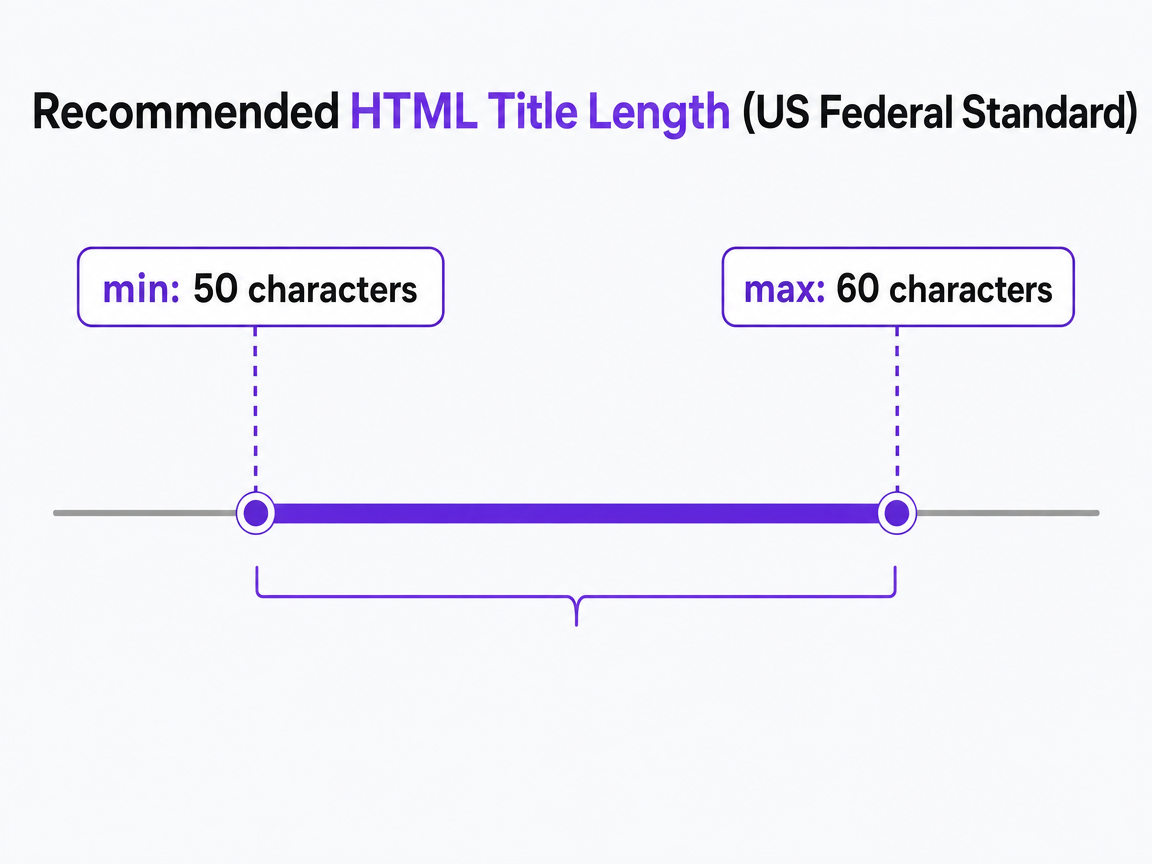 Recommended HTML Title Length (US Federal Standard)
U.S. Federal website standards recommend keeping HTML page titles between 50 and 60 characters to avoid truncation in search results while remaining descriptive.
Frequently Asked Questions
References
- 1.Influencing your title links in search results.
- 2.Web Content Accessibility Guidelines (WCAG) 2.0.
- 3.Understanding WCAG SC 2.4.2 Page Titled.
- 4.HTML page title | Federal website standards - Digital.gov.
- 5.Page titles — Web Accessibility Guide - NZ Government on GitHub.
- 6.Writing accessible web page titles and summaries.
- 7.An eye-tracking study of information usage in Web search.
- 8.Microsoft Word - SnippetEval\_28062011\_final.
- 9.SEO Title & Meta Description Length: 2026 Cheatsheet.
- 10.Google Says There's No Limit on Title Tag Length.
- 11.Title Tag 60-Character Limit: Real Rule or Just a Myth?.
- 12.Meta Length Checker - SERP Preview Tool 2026.
- 13.What Should the Title Tag Length Be In 2026: Best Practices for SEO Success.
- 14.HTML Standard – The title element.
- 15.Designing search results for mobile: UX research findings.